Photo Calorie Counters: How AI Food Scanning Really Works
Point a camera at your dinner and get calories and macros back in seconds. It feels like magic, but there is a clear process behind it, and a few limits worth knowing.
What happens when you scan a meal
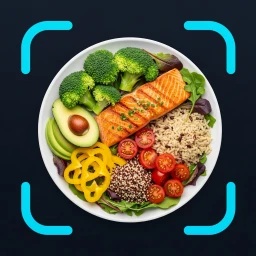
- Recognition: an AI model identifies the foods in the photo, such as grilled salmon, rice and broccoli.
- Portion estimation: it estimates how much of each food is on the plate from size, depth and context.
- Nutrition lookup: each food is matched to nutrition data, such as typical values from databases like USDA FoodData Central, and scaled to the estimated portion.
- Your review: you check the result, fix anything wrong and save it.
How accurate is it?
It is an estimate, not a lab measurement. Recognising food is usually the easy part; judging portions from a flat photo is harder, as are hidden ingredients like oil, butter or sugar in sauces. Photo estimates tend to be close enough to build a useful picture of your day, but you should treat them as a starting point.
That's why good apps let you edit portions, calories and macros, add foods the AI missed and remove ones it got wrong. FoodClik is built around that review step.
How to get better results
- Take the photo from above in good light with the whole plate in frame.
- Separate foods where possible rather than piling them together.
- Include a fork, hand or plate edge for scale.
- Add hidden extras manually: cooking oil, dressings, drinks.
- Correct the portion when it looks off. That teaches you as much as the app.
When photo logging shines
It is fastest for home cooking, restaurant meals and mixed dishes with no label to read. For packaged foods, the nutrition panel will still be more precise than any estimate, so use it when you have it.
Privacy
Photos are sent to an AI service to be analysed. Read an app's privacy policy to see what it stores. FoodClik's is on our privacy page.
Frequently asked questions
Are AI calorie counters accurate?
They give reasonable estimates for many meals but can misjudge portion sizes and hidden ingredients. Reviewing and editing the result improves accuracy.
Can a photo really tell how many calories are in food?
A photo shows what and roughly how much, but not what's inside or how it was cooked. That's why it's an estimate.
Is a photo calorie counter good for weight loss?
It can be, because it makes logging quick enough to keep up, and consistency drives results. Treat the numbers as estimates and look at trends.
Skip the typing. Log it from a photo.
FoodClik turns a photo of your meal into calories, protein, carbs and fat in seconds. Edit any item before you save, then watch your day add up.


Free to download. Try Premium free for 3 days, cancel anytime.
Keep reading
Sources and further reading
This page is general nutrition information, not medical advice. Calorie and macro figures are estimates and real foods vary. Talk to a doctor or registered dietitian before making big changes to your diet, especially if you are pregnant, have a medical condition, or have a history of disordered eating.